

Nowadays, consumers expect ease, speed, and flexibility in their shopping experiences, with the convenience to purchase at any time and from any location. Technology advancements and the widespread use of smartphones have enabled seamless purchasing experiences across a variety of online platforms and sales channels, including social media, messaging applications, and digital marketplaces. This has enabled users to complete transactions with just a few clicks on their devices.
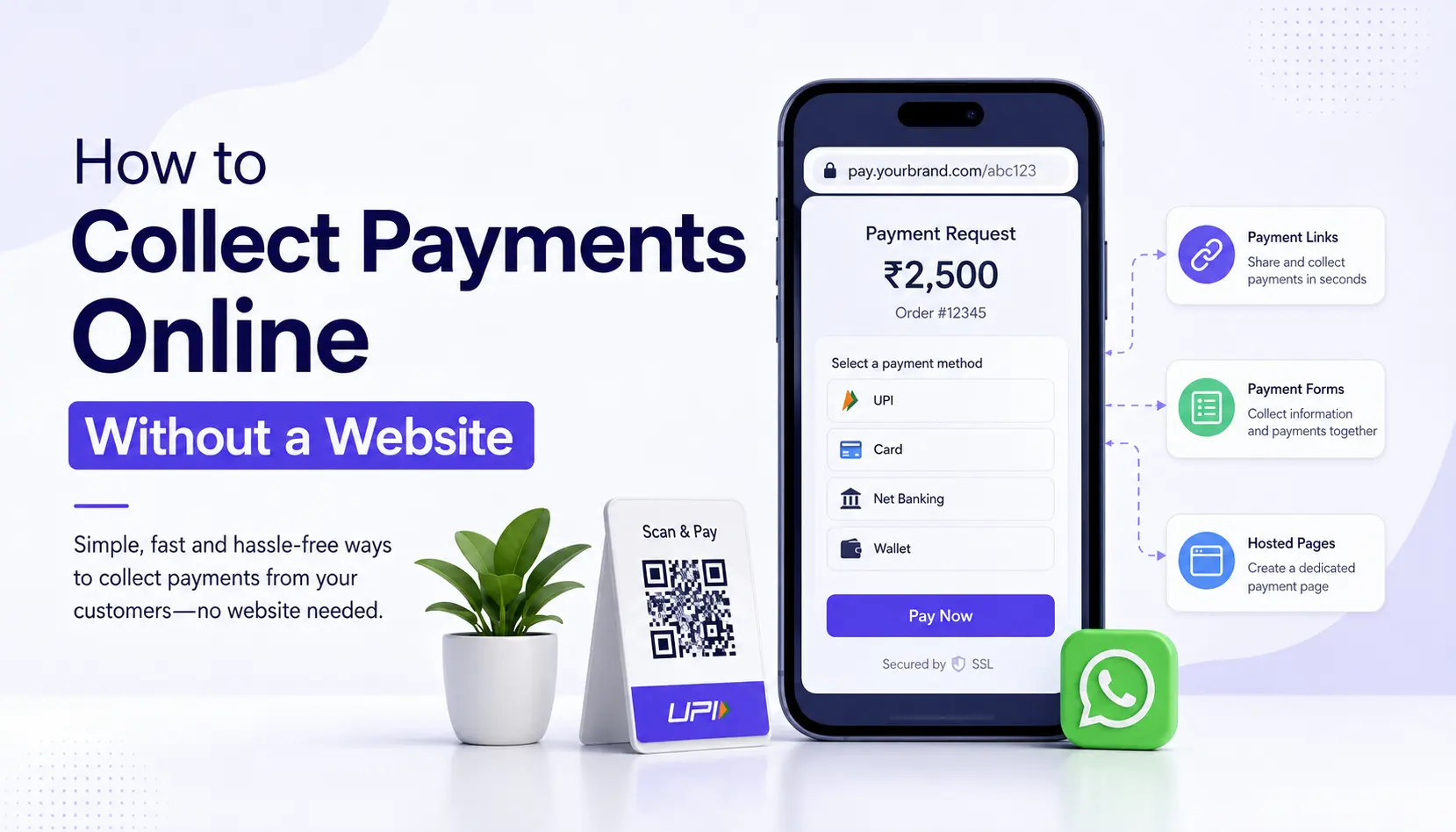
Payment links are a simple and convenient way for businesses to collect payments from customers. You simply generate a link, send it to your customer (via WhatsApp, SMS, email, etc.), and they can pay using their preferred method, such as UPI, debit/credit card, or net banking. It helps businesses speed up collections, reduce cash handling, and offer a smoother payment experience to customers. But how do payment links work? Let’s explore the process.
What Is a Payment Gateway Link?
A payment link is a URL, QR code, or payment button you can send to your customer. Clicking or scanning it directs them to a secure checkout page, where they can securely enter their payment details and complete the purchase.
You can set up a unique payment link for a single intended recipient for the service or product they’re interested in, then share this link with them across the preferred sales channel. In this way, payment links act like a simplified digital invoice, allowing customers to pay instantly without distractions or leaving the page.
How Does a Payment Link Gateway Work?
The merchants can share payment links through multiple channels, such as SMS messages, emails, social media, ads, QR codes, and others. Let’s break down how payment links work step by step:
1. The customer receives a payment link
The merchant sends a payment link to the customer — for example, through SMS or email — with a short message like “Click here to pay your bill.”
2. The customer clicks the link.
The customer will then click the link and be redirected to a payment gateway. The gateway is encrypted to provide a secure connection between the customer and the credit card processor of the merchant.
3. The customer inputs payment details to complete the payment.
When the payment gateway loads, the customer will input their payment details, thereby completing the payment. This usually contains billing details, including the customer’s name and address where bills will be sent. Depending on the payment gateway, customers can choose to store their payment details for future use when making a second purchase with the same payment agent.
4. The payment is transferred to the merchant and recorded internally
Lastly, the money from the transaction is transferred to the business’s merchant account. A record of the payment is recorded internally, and in most cases, the customer receives a receipt via text or email to confirm the payment.
Benefits of Using Payment Links
In general, payment links offer merchants features that provide the convenience of easy setup and help them to minimise the cost of accepting payments both in-person and online.
- Simplified Checkout Process: Payment links eliminate the need for websites and customer accounts on mobile apps to send payments. Customers can simply click on the link and start filling out their payment information to complete the transaction.
- Increased Sales Conversion: Because payment links offer less friction and easier access to checkout, customers tend to make favourable purchasing decisions faster. Accounts receivable are easier to collect when digital invoices come with an embedded payment link.
- Easily Customised: Your merchant account or payment services provider should be able to provide you with the tools to customise your payment link. This includes features such as branding and custom messaging. Advanced customisation features, such as language translation, are possible through coding and API.
- Offer customers multiple payment options: Once customers access your payment link, they you can pay using a variety of methods, including credit or debit card, UPI, net banking, and digital payment wallets.
Explore payment links with SabPaisa.
The SabPaisa Payment Link is a simple yet efficient tool that allows businesses to effortlessly collect payments. Whether you’re a small business, freelancer, or business, SabPaisa Payment Link enables businesses to collect payments without having a website or POS system.
Key Benefits of SabPaisa Payment Link
- Easy Payment Collection: Generate and share payment links via SMS, email, or WhatsApp, making it convenient for customers to pay.
- Multiple Payment Modes: Accept payments through UPI, credit/debit cards, net banking, and wallets, ensuring a seamless customer experience.
- No Website Required: Ideal for businesses without a website that need a secure way to collect online payments.
- Instant Settlement: Get quick access to funds, improving cash flow and business operations.
- Automated Payment Reminders: Reduce payment delays with automated reminders, ensuring timely transactions.
- Secure Transactions: Backed by advanced security and PCI-DSS compliance, protecting both businesses and customers from fraud.
How to Create a Payment Link Using a Payment Link Generator?
Ready to create your own payment link? Here’s how.
- Register on the payment gateway, and fill out the KYC and verification process.
- Sign in to your merchant portal.
- Visit the payment link or the payment link generator section.
- Fill in the transaction particulars – amount, payment methods, expiry for the link and description.
- Press Generate or Create Payment Link
- The link can be copied and sent to the customer, or it can be embedded and sent through messages.
Payment Link allows for easy interfacing, enabling businesses to increase their sales and provide better customer service without the headaches of cash system integration.
Conclusion
A payment gateway link is not only a payment tool but also a business maker in the digital-first Indian market. It improves ease of payment collection, offers customer convenience, and supports effective growth for businesses of any size. Indian companies can employ safe, convenient, and flexible methods of payment collection, using payment links and efficient payment gateways like SabPaisa.
Remember, the simpler the payment process, the more likely customers are to complete their transactions. So, why wait? Start exploring payment links and watch your business grow effortlessly!
FAQ
1. Are payment links secure?
Yes, payment links are secure. When a customer clicks a payment link, they are directed to a safe, encrypted payment gateway where they can input their credit card details to complete the transaction. However, as with any payment method, it’s critical to employ best practices to avoid security issues. This includes partnering with a security-focused payment processor, complying with PCI DSS, using anti-fraud software, and promptly notifying customers of any suspicious activity related to their payment.
2. Does a payment link expire?
Whether a payment link expires depends on restrictions set by the merchant. Merchants can configure payment links to meet specific payment limits or expiry dates. For example, some payment links are one-time payment links — they expire after the customer completes a payment. On the other hand, some payment links permit unlimited payments, so they don’t expire until the merchant turns the link off.
3. What are the key use cases for payment links?
Payment links are versatile and commonly used in e-commerce checkouts, invoicing, event or webinar registration, and charitable donations.
4. How long does it take to receive my payments from payment links?
For most payment methods (credit or debit cards, digital wallet payments), approvals are instant, so payments are automatically sent to your merchant account. However, bank transfers via NEFT/RTGS/IMPS to your business account may be instant or take up to two working days, depending on the method and bank processing time.